Managing Customers, Notes and Files
Review converted or manually created Customers, maintain their details, and keep useful notes and supporting files attached to the record.
Follow these steps
- 1
Open the Customers list
Select Customers from the main navigation. The list shows the Customer name, email, phone, number of Contacts and active state. Use View for a quick read-only look or Edit when changes are required.
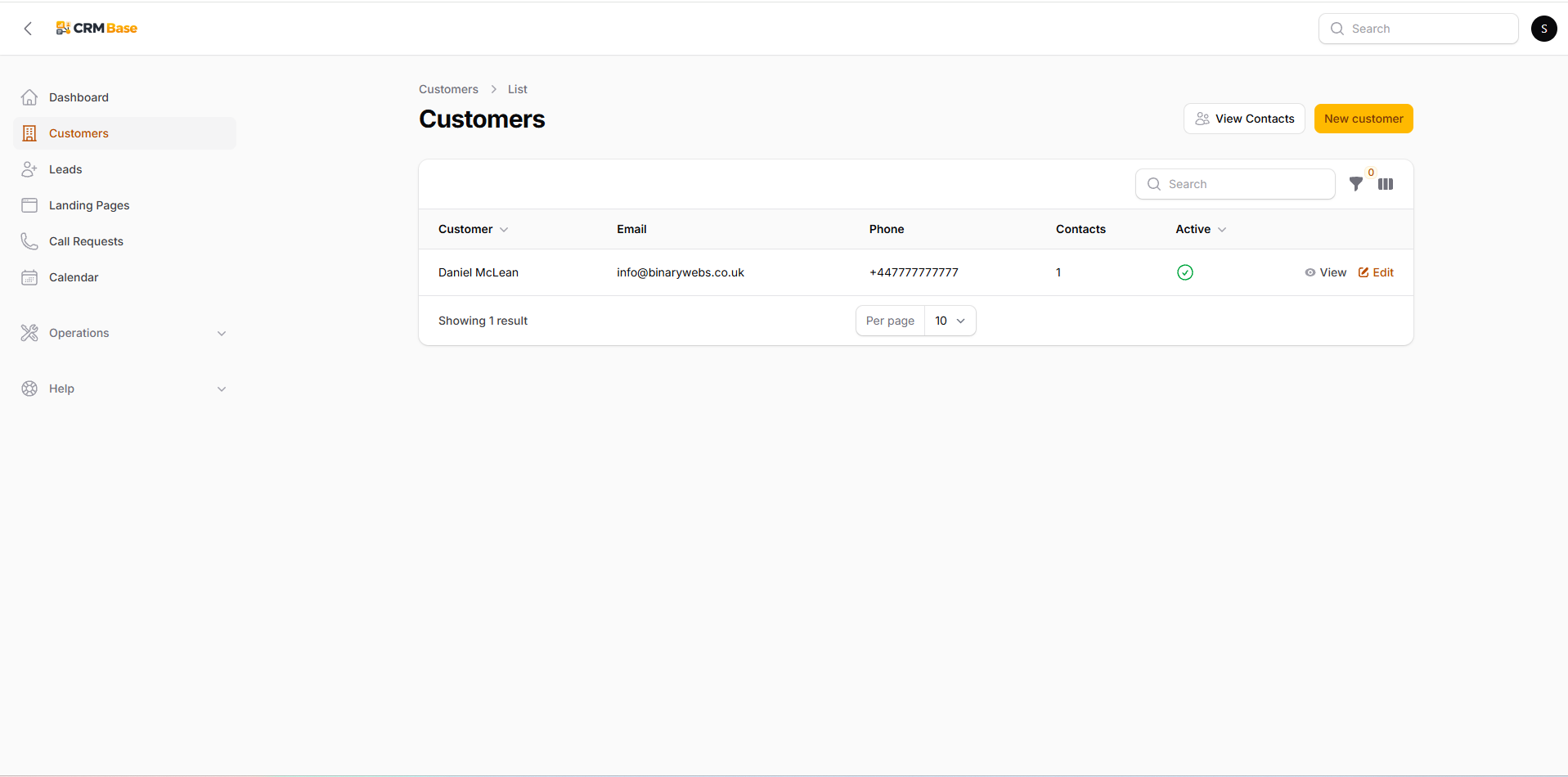 Expected resultYou can find and open the correct Customer record.
- 2
Use the quick View drawer
Select View to open the Customer in a slide-over drawer without leaving the list. The tabs let you inspect Details, Contacts, Addresses, Tasks, Emails and Notes & Files.
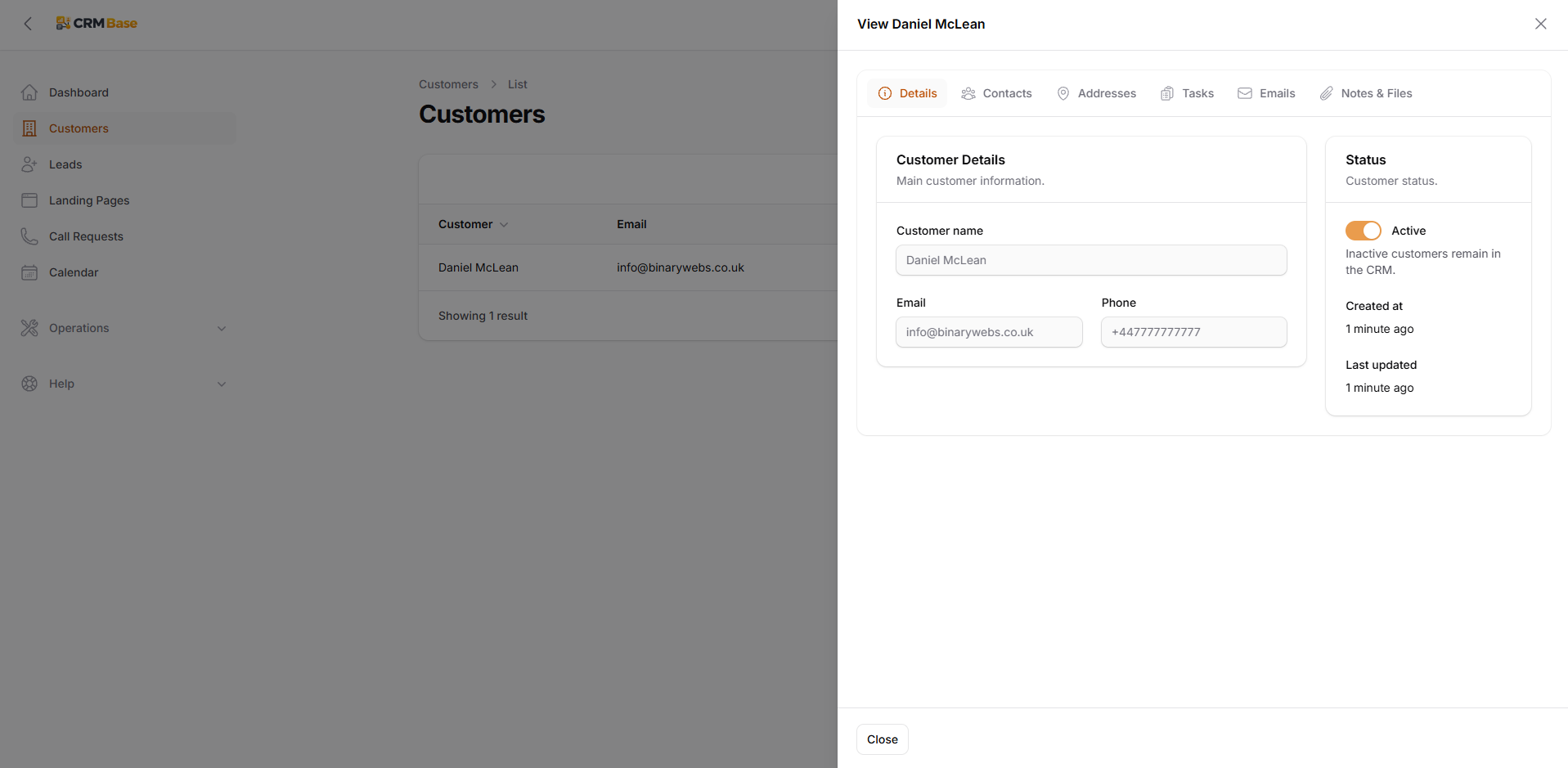 Expected resultYou can quickly check a Customer without navigating away from the list.
- 3
Edit Customer details and review Events
Select Edit when information needs changing. The Details tab contains the main Customer name, email, phone and Active status. Customer-linked events are also listed lower on the page so appointments remain visible in customer context.
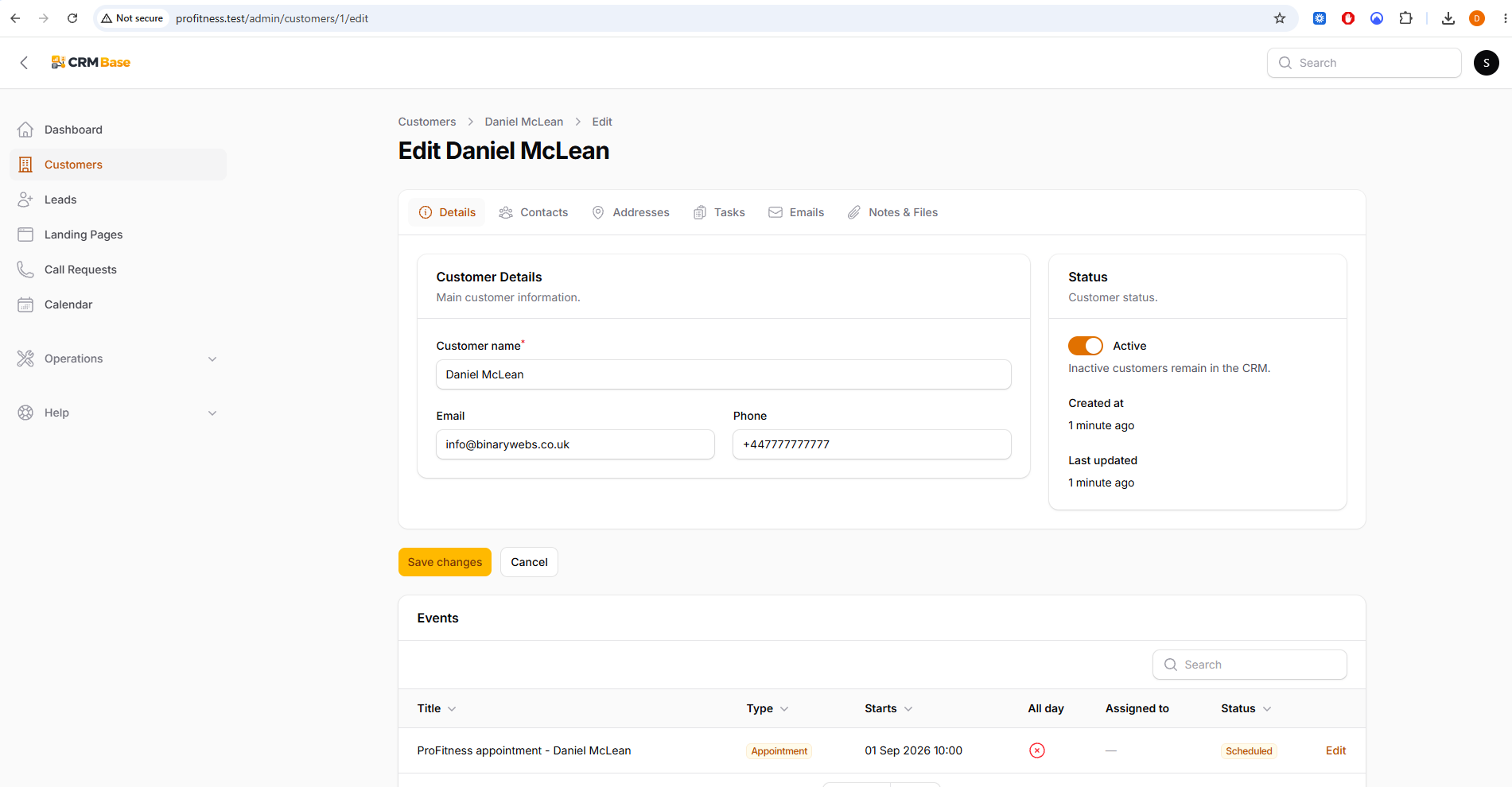 Expected resultThe Customer details and linked events are kept together.
- 4
Add a note
Open Notes & Files and select Add note. Enter a short useful note that another user can understand. Attach a file to the note when the document relates specifically to that note.
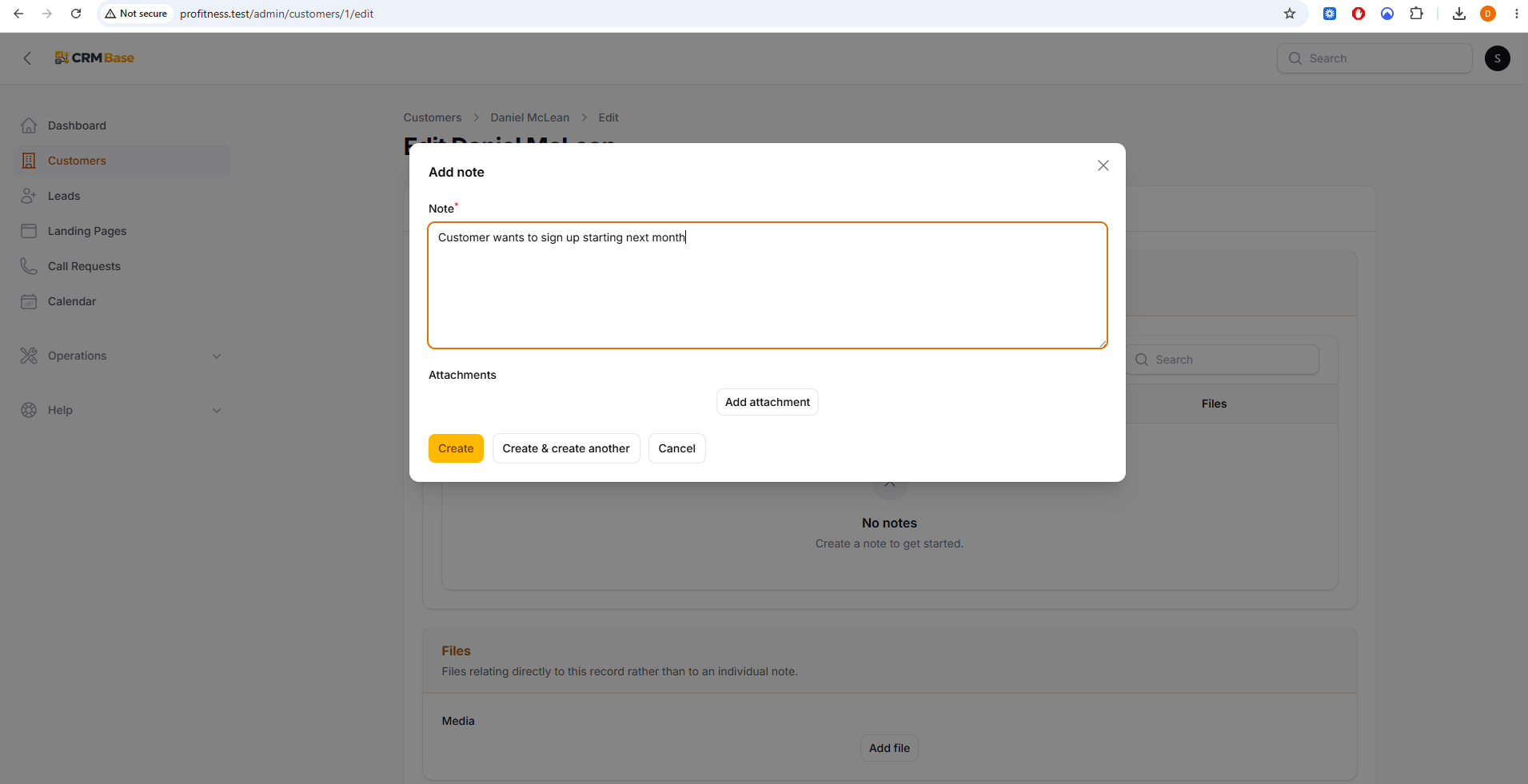 Expected resultThe customer interaction or important information is recorded for future reference.
- 5
Review Notes & Files
Saved notes show the date, who added them, the record they belong to and any attached files. Use the separate Files area for documents that belong directly to the Customer rather than to a particular note.
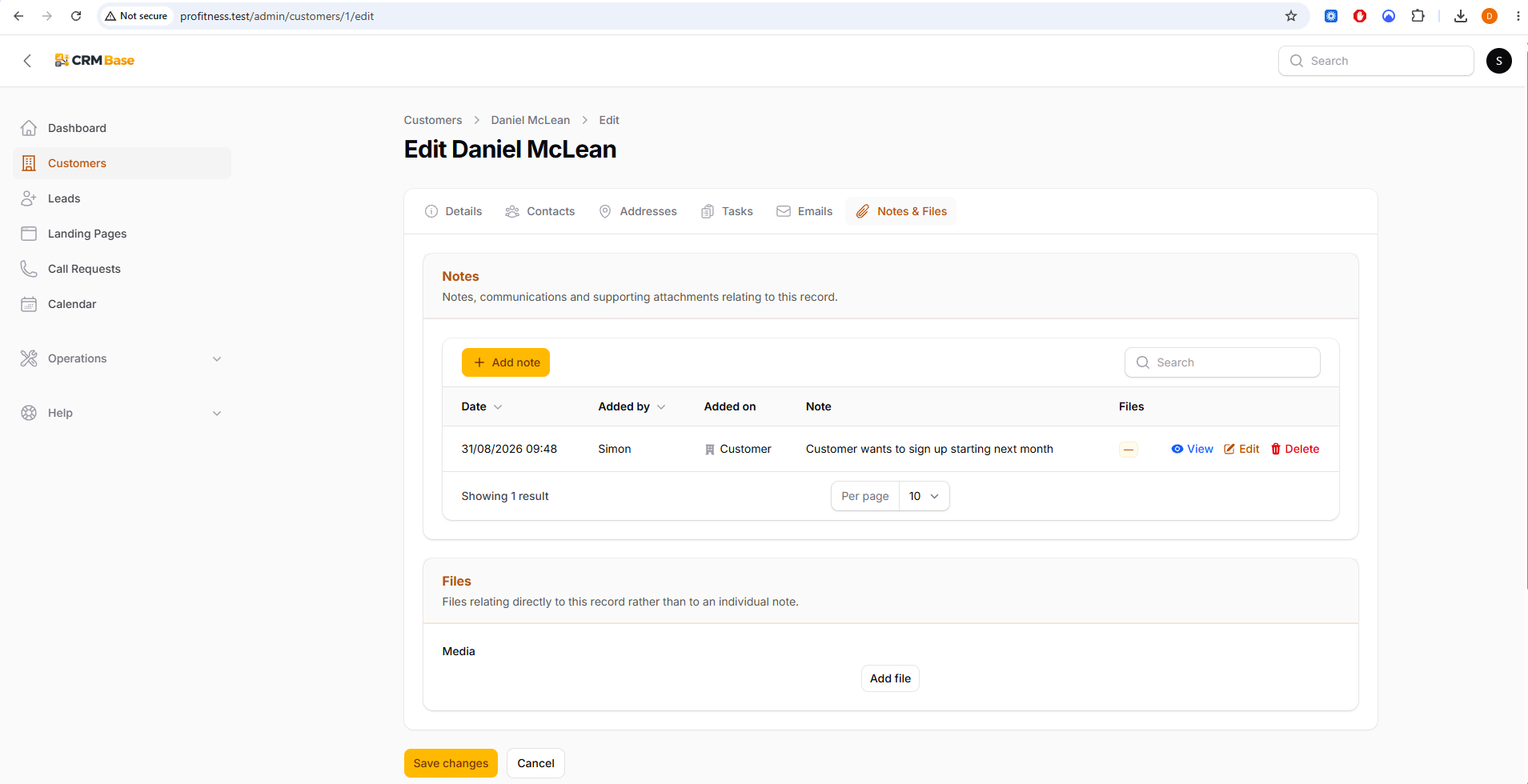 Expected resultNotes and supporting documents remain easy to find on the Customer record.
When you have finished
The Customer record becomes the long-term home for contact information, appointments, notes and supporting files after a Lead converts.
Troubleshooting
A note was added to the wrong Customer
Delete or edit the incorrect note, then add it to the correct Customer record.
A document relates to a specific note
Attach it while creating or editing the note rather than using the general Files area.
A converted Customer is missing information
Complete the missing fields on the Customer or primary Contact after conversion.